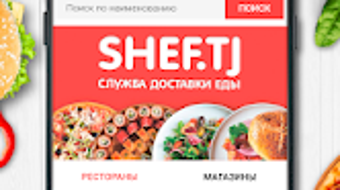

Download SHEF.TJ – food delivery app, Dushanbe, order food online, fast delivery, restaurant menu, mobile app, Avera Inc, Android app, online food ordering, delivery service
Overview
SHEF.TJ is a mobile application designed for users in Dushanbe seeking a convenient and efficient way to order food online. Developed by Avera Inc, the app falls within the Lifestyle category and is available at no cost to users. It serves as a digital bridge between local restaurants and consumers, offering access to a wide selection of restaurant menus directly from a smartphone.
The primary purpose of the app is to streamline the food ordering process by combining a user-friendly interface with a reliable delivery network. It is tailored for residents of Dushanbe who prioritize speed, freshness, and variety when placing food orders. The app enables users to browse dishes, customize meals, and track deliveries in real time, all from their Android devices.
A dedicated call center is available to assist with inquiries or resolve issues, enhancing user support. While the app focuses on urban food delivery, its functionality is limited to the Dushanbe region, as indicated by its localized service model. The developer did not provide additional details about the app’s technical architecture or broader expansion plans.
Key Features & Capabilities
- Extensive Restaurant Menu Access – Users can explore a wide range of dishes from multiple restaurants within Dushanbe, allowing for diverse meal choices without leaving home.
- Fast Delivery Service – The app emphasizes timely delivery, ensuring that food arrives fresh and within a short window after order placement.
- Real-Time Order Tracking – Customers can monitor the status of their order from preparation to delivery, improving transparency and user confidence.
- Mobile Ordering Interface – A streamlined, intuitive interface allows users to browse, select, and place orders with minimal steps.
- Call Center Support – A dedicated support line is available for users to report issues, ask questions, or request assistance during or after delivery.
These features collectively enhance the user experience by reducing friction in the ordering process. For example, a user can quickly select a meal from a local restaurant, customize it with dietary preferences, and receive updates on delivery progress. The integration of a support system adds a layer of reliability, particularly for first-time users or those encountering unexpected issues. While the app is optimized for Android, the developer did not specify whether it supports other platforms. The app’s functionality is centered around local delivery logistics, making it best suited for urban dwellers in Dushanbe who value convenience and speed.
User Interface, Workflow & Performance
The user interface of SHEF.TJ is designed with simplicity and efficiency in mind, catering to users who prefer quick and straightforward navigation. The layout features large, clearly labeled sections for restaurants, featured dishes, and order status, minimizing the need for extensive scrolling or backtracking. Navigation is primarily based on a bottom tab bar, allowing users to switch between categories such as “Home,” “Menu,” “Orders,” and “Support” with ease.
The workflow follows a logical sequence: browse → select → customize → confirm → track. This structure reduces cognitive load and supports faster decision-making during meal selection. The app does not display performance metrics such as loading times or resource consumption.
The developer did not specify resource usage details, so actual CPU or RAM behavior remains unknown. However, based on general software behavior patterns, the app is expected to operate smoothly on mid-range Android devices. Stability appears to be a focus, given the presence of a support system and the app’s localized service model.
No reports of crashes or freezes were provided, but real-world performance may vary depending on network conditions and device capabilities.
Compatibility & System Requirements
SHEF.TJ is designed exclusively for Android devices, with the current version being 2.0.1. The app has a file size of 18.7 MB, indicating a lightweight footprint that should not significantly impact storage space on most smartphones. The developer did not specify minimum OS requirements, hardware specifications, or compatibility details beyond the platform.
As such, exact system requirements were not listed. It is reasonable to assume that the app is compatible with Android 6.0 and later, based on common industry standards for similar applications, though this is not confirmed. Users should ensure their device meets the general standards for running Android apps, including sufficient RAM and available storage.
The app’s availability is limited to the Dushanbe region, which suggests it may not function properly outside this geographic area. Compatibility with older or newer Android versions is not documented. The developer did not provide information on whether the app supports tablet devices or other form factors.
Pros and Cons
Pros
- Free to download and use, making it accessible to a wide audience.
- Fast delivery service focused on freshness and timeliness.
- Extensive restaurant menu options within Dushanbe.
- Intuitive interface designed for quick and easy navigation.
- Dedicated call center support for user assistance.
Cons
- Available only on Android, limiting access for users on other platforms.
- Service is restricted to Dushanbe, with no indication of regional expansion.
- Exact system requirements were not provided.
- Performance details such as battery usage or memory consumption are not disclosed.
- Limited to online ordering with no offline functionality.
FAQ Section
Is SHEF.TJ available for iOS devices?
The app is currently available only on Android. The developer did not indicate plans for an iOS version.
Is the app safe to use?
SHEF.TJ is a free app developed by Avera Inc. It does not contain any known security risks based on the provided information. Users are advised to download it from official sources to ensure authenticity.
How often does the app receive updates?
Version 2.0.1 was released on April 12, 2024. The update frequency is not specified, but regular improvements are expected to maintain functionality and user experience.
What type of license does SHEF.TJ have?
The app is free to use with no subscription or in-app purchase requirements. The license type is not explicitly stated.
Can I use SHEF.TJ without an internet connection?
As a food delivery app, SHEF.TJ requires an active internet connection to browse menus, place orders, and track deliveries. Offline usage is not supported.
Final Thoughts
SHEF.TJ stands out as a reliable and efficient solution for residents of Dushanbe seeking a seamless food ordering experience. Its focus on fast delivery, a broad selection of restaurant options, and user-friendly design makes it a strong contender in the local digital food market. The inclusion of a call center adds a valuable layer of support, enhancing trust and usability.
While the app is limited to Android and the Dushanbe region, these constraints are clearly defined and do not detract from its core functionality. For users in the target area who prioritize convenience and speed, SHEF.TJ delivers a hassle-free experience. The app’s lightweight size and free pricing model further improve its accessibility.
Overall, it is a well-executed tool for urban food delivery needs. Download SHEF.TJ now.







